
Software4Nonprofits.com
Simple. Powerful. All you need.
 
Features


Easy and Powerful Data Entry

With DONATION, you can:

  • Record names, addresses and phone numbers of donors.
  • Use member or envelope numbers, if desired.
  • Specify various categories of donor and donation.
  • Record 3 user-specifiable fields about donors, plus a comments field of virtually unlimited length.
  • Record an annual pledge amount for each donor.
  • Record dates, amounts, donation categories and cheque numbers (or how the donation was paid) for individual donations.
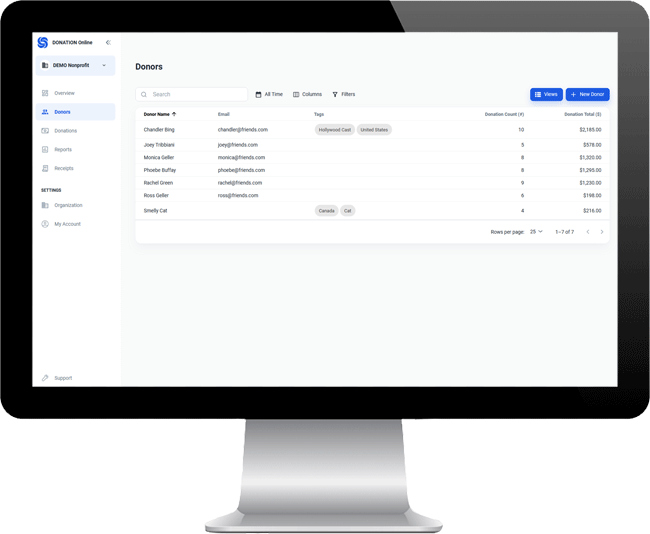
  • Quickly and simply pick donors from a scrolling list, or search for them with two different Find features.
  • Use a special data entry form to speed entry of weekly donations, collections or offerings for churches.
  • Use an optional limited-entry password for volunteers to do entry without seeing full details on donors or donation history.
  • Optionally use a network version of DONATION to access the same database from multiple computers on a network.

Professional Reports and Letters

  • Print over 30 different reports on donors, donations, receipts and categories.
  • Use either of two different ways to create custom reports.
  • Export any report to various file formats, such as Excel or CSV (comma-separated value).
  • Use a powerful ability to create mail merge letters for one, all or some donors.

Automated Charitable Receipts

  • Print numbered charitable receipts in a simple standardized format, plus mailing labels for those receipts
    (Note: In Canada, you have to have a charitable registration number to issue charitable tax receipts. While other organizations do send receipts, they cannot be used as a tax deduction, and the receipts printed by this program may not be suitable for that use.)
  • Print a receipt for just one donor, or for all donors with unreceipted donations, or for a selected subgroup of all donors with unreceipted donations.
  • Include up to three sections in the receipt:
    • a section to send with your tax form that just gives the total
    • an optional 2nd section with the details of each individual donation during the year, and
    • an optional 3rd section with the totals by category of the donations.
  • Optionally, print the receipts on tear-off forms, and mail them out with window envelopes.
  • Select different receipt formats for users in the U.S.A., Canada, Australia, and other countries.
  • For Canadian receipts, properly handle what the Canada Revenue Agency calls "split receipting" - the handling of donations where the donor receives an "advantage", by the use of an optional Eligible Amount field.
  • Optionally print bilingual (French/English) or French-only receipts for users in Quebec.
  • Print duplicate receipts (e.g. if someone loses one).
  • Print corrected receipts (if something in the receipt was incorrect).
  • Generate receipts in a format that you design, using the mail merge features.

Other Features of DONATION

  • DONATION has context-sensitive help and a full manual online.
  • Uses a powerful open source SQL-based Firebird database, and thus the data can be accessed for other purposes (with appropriate tools).
  • Has a simple option to backup all of your data to diskettes, your hard drive, or elsewhere (e.g. a writeable CD or USB memory key). It also has an option to restore such backups.
  • Reminds you to do backups of your database weekly, or at a frequency of your choosing.
  • Can be used to store donations for multiple organizations on the same computer.
  • Can import files of donors from assorted file formats. Contact support, or consult the program's help file, if you need more information about importing donors or various other data from another program.
  • While the program is entirely in English, limited entry of accents etc. for foreign languages should be possible, and both currency and dates are displayed in your regional format, as defined in Windows Control Panel's Regional settings.

Limitations / Requirements

  • DONATION is best suited to situations with about 2,000 or fewer donors because of the way it organizes its data. Also, larger organizations might want a more full-featured and customizable program. Technically, however, DONATION can store an unlimited number of donors.
  • Generates at most 9,999 numbered receipts per year (another reason that you cannot have too many donors)
  • Is not a full fundraising system. Use a larger and more expensive system if that is your requirement. This program is intended primarily for record-keeping of donors and donations, and issuing receipts.
  • Runs under all versions of Windows. The most current version only runs on Windows XP, Vista, or 2000, however a previous version is available that runs under earlier versions of Windows.
  • Has been successfully run on a Mac using the Virtual PC program (which allows you to run Windows programs on a Mac). However, Cooperstock Software cannot support any problems that are specific to using it on a Mac.
  • Requires your screen properties to be set to 800 x 600 or higher, with Normal size Fonts selected in your Display settings, or to 1024 x 768 or higher, if you are using Large size Fonts. This program will not work on a 640 x 480 display, and part of the main window will be hidden if you use 800 x 600 resolution and Large size Fonts.
© Cooperstock Software | Privacy Policy | Site Map